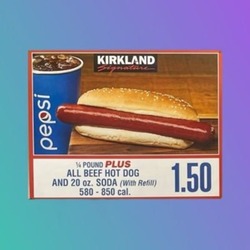
Costco • Robinhood Token
COST #2475Costco • Robinhood Token (COST) is trading at $912.82, -0.35% over the last 24 hours. Track the live COST price, market cap, circulating supply and 7-day chart below — then swap, exchange or convert COST to any major cryptocurrency straight from your wallet. Non-custodial, no account, best cross-chain rate.
COST price analysis
Costco • Robinhood Token (COST) ranks #2475 by market capitalisation at $1.67M. Compared with its $34,476 all-time peak, it currently trades 97.4% lower. There are currently 1,830 COST in circulation. COST has moved -5.10% week-on-week and -3.50% over 30 days. Around $1.41M of COST changes hands every 24 hours.
COST to USD conversion table
How to swap Costco • Robinhood Token (COST)
- 1 Choose COST on either side of the swap widget — as what you receive, or as what you pay when moving out of COST.
- 2 Connect your wallet — MetaMask, OKX, Trust Wallet, TokenPocket, TronLink, UniSat and Phantom are all supported.
- 3 Review the quoted route — the estimated and minimum COST you'll receive plus network, DEX and bridge fees are shown before you sign.
- 4 Sign the transaction and watch progress under My transactions until settlement completes.
About Costco • Robinhood Token
Tokenized AssetsTokenized StocksReal World Assets (RWA)Robinhood Chain Stocks EcosystemExplore other coins




Market data by CoinGecko, cached server-side. Prices are informational — the exact swap rate is quoted at execution time.
Your payment wallet can't receive on — its address format differs.
Amounts include provider fees; ★ marks the best-value payment method. Checkout opens securely on the provider's site and is pre-filled with your connected wallet.
() on is not verified and may be a scam or an impostor of a well-known token. You could end up with a token you can't sell.
This browser has no crypto wallet. Pick your wallet app — SwitchFi will open inside its built-in browser, where you can connect.
The app didn't open — it may not be installed. You can still use SwitchFi from any wallet app:
- 1Open your wallet app (MetaMask, OKX, TokenPocket, TronLink…).
- 2Find the Browser / Discover / DApp tab.
- 3Paste this address and open it:
You have more than one wallet installed. Pick the one to connect.
Fetching live quote…
Live quote, net of DEX/bridge/gas fees. The final amount is confirmed in your wallet at execution.
Indicative estimate — the exact amount is confirmed in your wallet at execution.
Top cryptocurrencies to exchange with Costco • Robinhood Token
Swap or exchange COST to any of these assets at the best cross-chain rate.
 COST → GEODPolygon
Costco • Robinhood Token to Geodnet
Swap →
COST → GEODPolygon
Costco • Robinhood Token to Geodnet
Swap →
 COST → PC0000015
Costco • Robinhood Token to Tradable NA Third Party Online Merchant SSTN
Swap →
COST → PC0000015
Costco • Robinhood Token to Tradable NA Third Party Online Merchant SSTN
Swap →
 COST → ANSEM
Costco • Robinhood Token to The Black Bull
Swap →
COST → ANSEM
Costco • Robinhood Token to The Black Bull
Swap →
 COST → ZANO
Costco • Robinhood Token to Zano
Swap →
COST → ZANO
Costco • Robinhood Token to Zano
Swap →
 COST → DYDX
Costco • Robinhood Token to dYdX
Swap →
COST → DYDX
Costco • Robinhood Token to dYdX
Swap →
 COST → STAC
Costco • Robinhood Token to Securitize Tokenized AAA CLO Fund
Swap →
COST → STAC
Costco • Robinhood Token to Securitize Tokenized AAA CLO Fund
Swap →
 COST → CRCLB
Costco • Robinhood Token to Circle Internet Group (bStocks Tokenized Stock)
Swap →
COST → CRCLB
Costco • Robinhood Token to Circle Internet Group (bStocks Tokenized Stock)
Swap →
 COST → FORM
Costco • Robinhood Token to Four
Swap →
COST → FORM
Costco • Robinhood Token to Four
Swap →
 COST → PROMEthereum
Costco • Robinhood Token to Prom
Swap →
COST → PROMEthereum
Costco • Robinhood Token to Prom
Swap →
 COST → DAI
Costco • Robinhood Token to DAI on PulseChain
Swap →
COST → DAI
Costco • Robinhood Token to DAI on PulseChain
Swap →
 COST → PC0000085
Costco • Robinhood Token to Tradable LatAm Middle-Market Lender SSTL
Swap →
COST → PC0000085
Costco • Robinhood Token to Tradable LatAm Middle-Market Lender SSTL
Swap →
 COST → UUSD
Costco • Robinhood Token to Unity USD
Swap →
COST → UUSD
Costco • Robinhood Token to Unity USD
Swap →
 COST → PC0000077
Costco • Robinhood Token to Tradable Singapore Fintech SSL
Swap →
COST → PC0000077
Costco • Robinhood Token to Tradable Singapore Fintech SSL
Swap →
 COST → GENIUS
Costco • Robinhood Token to Genius
Swap →
COST → GENIUS
Costco • Robinhood Token to Genius
Swap →
 COST → AIX
Costco • Robinhood Token to AI XOVIA
Swap →
COST → AIX
Costco • Robinhood Token to AI XOVIA
Swap →
Costco • Robinhood Token FAQ
What is the current price of Costco • Robinhood Token?
Costco • Robinhood Token (COST) is trading at $912.82. The price on this page refreshes continuously from live market data cached server-side.
How to swap or exchange COST?
Use the widget on this page: choose COST on either side of the trade, connect a wallet, check the quoted route and confirm. Routing compares DEXs and bridges automatically, and settlement is wallet-to-wallet.
Can I convert COST to other cryptocurrencies?
Yes — COST trades against every major asset SwitchFi routes, including USDT, USDC and the large-cap altcoins, across EVM chains, Tron, Bitcoin, Solana and Sui. Popular combinations are listed in the “exchange with Costco • Robinhood Token” section below.
Is swapping COST custodial?
No — the whole flow is non-custodial. Your wallet signs the transaction and receives the output directly; SwitchFi only finds and routes the best path, without accounts or KYC.